How to Sell on WhatsApp With a Website: Three Real Setups We Built
By Cee · 16 November 2026 · 4 min read
The best way to sell on WhatsApp is not to replace your website with it, but to connect the two. The website does the convincing: it shows your products, your prices and your proof. WhatsApp does the closing: the customer asks a last question, confirms and pays. When the two are joined properly, customers move from "just looking" to "I'll take it" without hunting for your number.
We have built this setup for three very different businesses, and each one does it slightly differently. Below is how each works, what we learned, and how to set up the same thing for your own business. For more on why this matters, see what we learned building our own products.
Why connect a website to WhatsApp at all
WhatsApp alone has limits. A status update disappears in a day, a catalogue is hard to browse, and nobody can find you on Google through a WhatsApp number. A website alone has a different problem: many customers, especially on phones, would rather ask a quick question than fill in a long form or wait for an email reply.
Joined together, the website brings people in from search and social media, answers the common questions, and hands the serious buyers to WhatsApp at the moment they are ready.
Setup 1: Topboyskicks, a sneaker store
Topboyskicks sells certified original sneakers. Its customers usually know roughly what they want but need to confirm the size, the price and whether a pair is in stock.
So the website has a short form: brand, style, size. When a customer presses "Send on WhatsApp", it opens WhatsApp with their message already written, ready to send. The shop gets a clear, complete enquiry instead of "hi, how much?", and the customer doesn't have to type anything twice.
The rest of the page supports that moment: "100% original, verified pairs", delivery details, pay on confirmation, and an option to leave an email for restock alerts. We wrote up the full project in the Topboyskicks case study.
Setup 2: Deeday, a wedding invitation service
Deeday is our own product. Couples browse invitation designs on the website, preview any of them live, compare the two plans, then fill one form. Their details arrive with us on WhatsApp, and we build the invitation.
WhatsApp also runs inside the product itself. Guests reply to the invitation through WhatsApp to RSVP, and on the bigger plan they can order aso-ebi fabric the same way. That works because the couple's guests are already on WhatsApp; asking them to download an app or create an account would lose half of them.
Setup 3: TokunboVerify, a car history platform
TokunboVerify is different, because the product itself runs on the website: a buyer enters a car's VIN, pays, and gets the report online. WhatsApp's job here is support. A buyer who is unsure which VIN to use, or wants help reading a report, can message the team.
This shows the other side of the lesson: not every sale should go through WhatsApp. When the product can be delivered instantly online, forcing a chat would only slow the customer down. WhatsApp is there for reassurance, not for every transaction.
How to set it up for your business
The core tool is a "click to chat" link. A link in the format wa.me/ followed by your number in international format, with no plus sign or spaces, opens a chat with you. Adding ?text= and an encoded message makes the chat open with that message already typed, which the customer can still edit before sending. Most WhatsApp guides, including this explainer on click-to-chat links, describe the same format.
A simple setup looks like this:
- Put a WhatsApp button where decisions happen: next to prices, on each product, and at the bottom of every page.
- Pre-fill the message with what you need to know, such as the product name or the service, so the first message is useful.
- For shops, use a short form that builds the message from a few choices, like Topboyskicks' brand, style and size.
- Answer fast. A WhatsApp button promises a quick reply. Set greeting and away messages in WhatsApp Business so nobody waits in silence.
- Keep the website as the source of truth. Prices, policies and photos live on the site, so you can send a link instead of retyping.
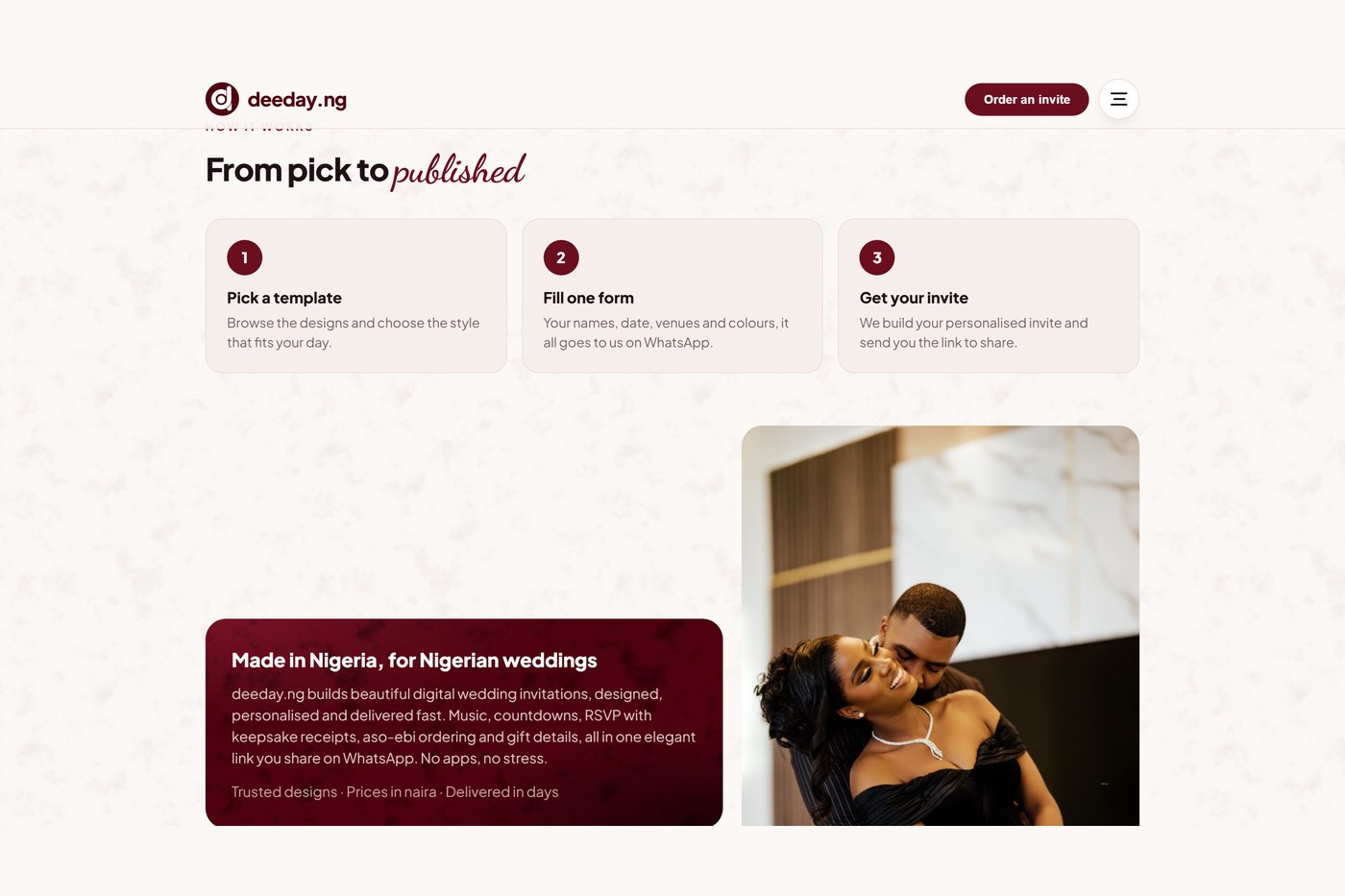 Deeday's three steps: the couple's order form arrives with us on WhatsApp. | Screenshot: deeday.ng, 13 November 2026
Mistakes to avoid
- A number with no context. "Chat with us" with nothing pre-filled leads to vague messages and slow back-and-forth.
- Hiding prices to force a chat. Some customers won't message just to ask a price; many will simply leave.
- No reply plan. If messages sit unanswered for hours, the button does more harm than good.
- Spamming contacts. Sending marketing messages to people who never asked for them damages trust and can break the rules in many countries.
What this means for your business
Our view, as analysis: WhatsApp works best as the closing step, not the whole shop. Let the website show and explain, and let WhatsApp handle the final question and the confirmation. Decide which of the three setups above is closest to your business and copy its shape.
Where Omenala fits
We build websites that connect to WhatsApp properly: pre-filled order forms, buttons in the right places, and automations that log each enquiry so nothing gets lost. If you sell through WhatsApp today and want your website to send you better customers, tell us about your business.
The short version
Your website convinces, WhatsApp closes. Join them with a pre-filled link at the moment of decision, reply quickly, and keep prices and proof on the site where everyone can see them.
This article contains analysis and opinion based on publicly available information. Projections and forecasts reflect the author's interpretation of current trends and should not be treated as confirmed outcomes. Readers are encouraged to consult primary sources and form independent conclusions.