AI Automation Examples: 10 Jobs a Small Business Can Hand Over
By Cee · 12 November 2026 · 5 min read

The best AI automation examples are boring on purpose. They take a job you do the same way every day, like answering the same customer question or chasing the same unpaid invoice, and let software do the first draft or the whole thing. You stay in charge of anything that needs judgement.
That is the difference between AI automation and ordinary automation. Ordinary automation follows fixed rules: "when a form is filled, send this email." AI automation adds a step that can read or write like a person: it can understand a customer's message, sort it, summarise it, or draft a reply in your tone.
This is no longer a big-company thing. McKinsey's State of AI 2026 survey of 1,719 people in 97 countries found that nearly nine in ten respondents report regular AI use in at least one part of their organisation. The question for a small business is not whether to use it, but where it actually saves time. Here are ten places it does, including one we built ourselves for TokunboVerify.
How an AI automation actually works
Every automation has the same three parts, whatever tool you use:
- Something happens. A customer sends a message, a form is filled, a payment comes in, a job is marked done.
- The AI step. The software reads what came in and does something a person would normally do: decides what kind of message it is, pulls out the name and phone number, writes a reply, or summarises it.
- Something gets done. A reply goes out, a row is added to your spreadsheet, a reminder is booked, or you get a short note asking you to approve.
When people say an automation "doesn't work", it is usually because one of those three parts was left vague. Keep that in mind as you read the examples.
10 AI automation examples that save real hours
1. Answering the same questions on WhatsApp
If your phone fills up with "how much?", "where are you located?" and "do you deliver?", start here. The free WhatsApp Business app already has greeting messages, away messages for outside working hours, and quick replies you can call up with a shortcut, according to WhatsApp's own feature page. AI tools take it further by reading the question and drafting the right answer from your price list, which you then send with one tap.
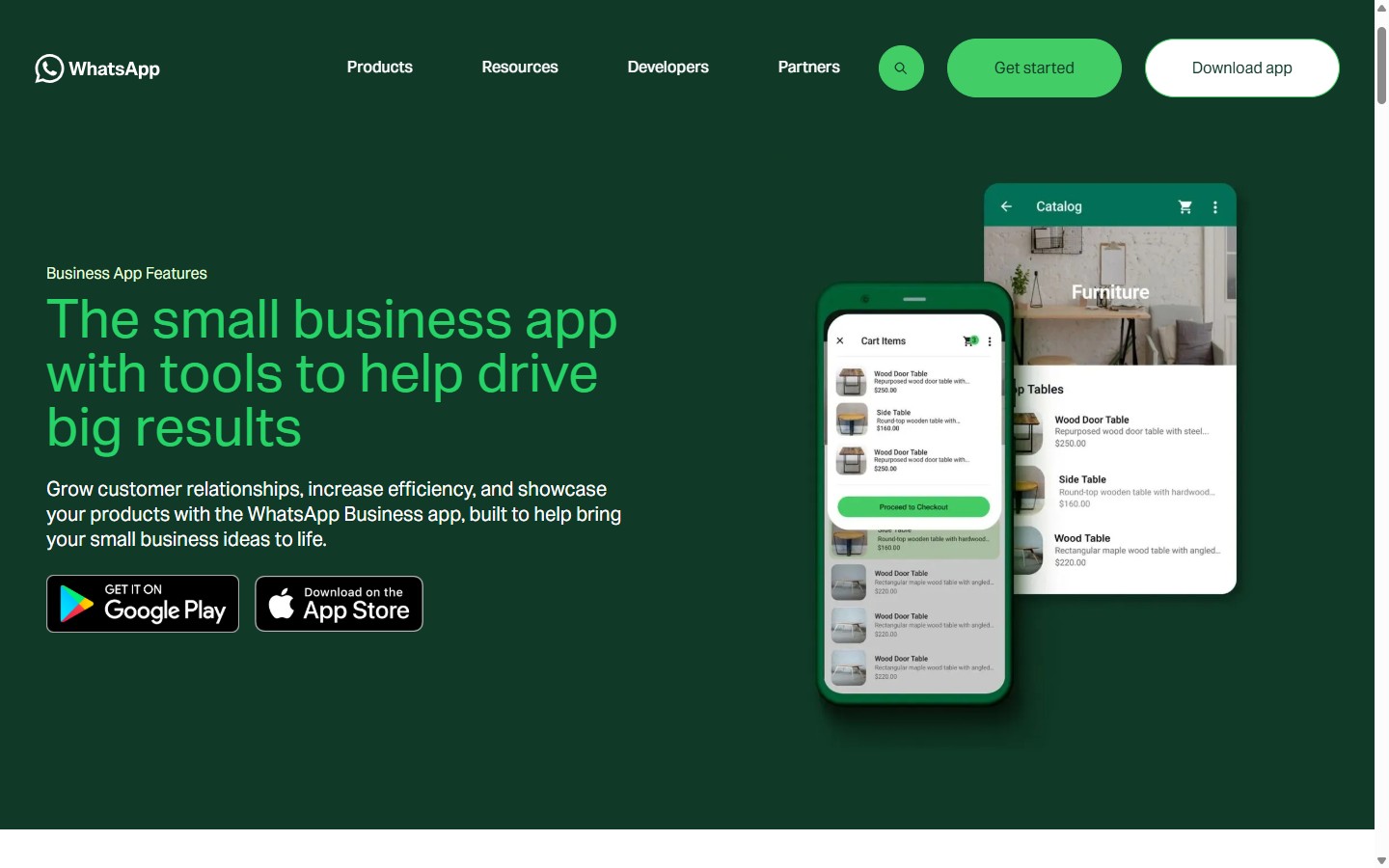 The WhatsApp Business app includes automatic greeting and away messages before you add any AI. Screenshot: whatsappbusiness.com, 12 November 2026.
2. Turning enquiries into quotes
A customer fills your contact form with a messy description. The AI step pulls out what they need, matches it to your price list, and drafts a quote for you to check. You go from typing every quote from scratch to reading and approving one.
3. Chasing unpaid invoices
Nobody likes sending the third "just following up" message. An automation can watch your invoices and send polite reminders on a schedule, with the AI adjusting the wording so the third reminder doesn't read exactly like the first. It stops the moment the invoice is marked paid.
4. Sorting a busy inbox
AI can read each incoming email and label it: new enquiry, existing customer, supplier, spam. It can also write a two-line summary of long threads. You start the day knowing which five emails matter.
5. Asking happy customers for reviews
When a job is marked complete, an automation waits a day and sends a short, friendly message with your Google review link. The AI part can personalise it with the customer's name and what you did for them. Reviews come in steadily instead of only when you remember to ask.
6. Writing product and service descriptions
If you sell many items, AI can draft descriptions from a few notes or a photo. You still edit them, but editing twenty drafts is far quicker than writing twenty from nothing.
7. Booking appointments and sending reminders
A booking link puts appointments straight into your calendar, and an automation sends a reminder the day before. AI can read replies like "can we move it to Thursday?" and offer new times instead of leaving the message for you to sort out.
8. Summarising calls and meetings
Many tools can now record a call, write it up and list the action points. For a business owner who forgets what was agreed by Friday, this alone is worth the setup.
9. Reading documents and records
This is where AI shines, because reading is slow for people and quick for software. When we built TokunboVerify, the platform pulls a used car's US title, auction and insurance records, and an AI step the team calls "Oga Mechanic" reads them and flags the risks in plain language. A buyer gets the important parts without wading through pages of records.
10. Turning one piece of content into many
Write one good post about a job you finished, and AI can turn it into a WhatsApp status, an Instagram caption and a short email to past customers. An automation can then schedule them across the week.
What you should not hand to AI yet
Some jobs need a person, and pretending otherwise costs more than it saves:
- Complaints and refunds. An upset customer can tell when a machine is answering, and a wrong reply makes it worse.
- Anything involving money decisions. Let AI draft the quote or the reminder, but a human approves the amount.
- Legal or medical advice. AI states wrong things confidently. Keep it away from anything someone could rely on to their cost.
- Your first reply to a big potential client. Draft it with AI if you like, but read every word.
There is also a reality check in that same McKinsey survey. While 80 percent of respondents said AI had improved their own productivity, only 37 percent of organisations reported any positive effect on profit. The pattern behind the gap, in our reading of it, is that buying a tool is easy and changing how the work flows is the part most businesses skip.
How to choose your first AI automation
Pick the job that scores highest on these three questions:
- How many times a week do you do it?
- How many minutes does it take each time?
- How much damage does a mistake cause?
You want high, high and low. Answering the same WhatsApp questions usually wins: it happens dozens of times a week, and a slightly clumsy draft does no harm because you check it before sending. Chasing invoices is often second.
Start with one. Run it for two weeks, check what it got wrong, then add the next. Businesses that try to automate ten things at once usually end up with ten half-working automations and go back to doing it all by hand.
If you'd like to see how the setup works step by step, read our guide on how to do AI automation for your business. If budget is the worry, we've also broken down what you can automate for free before paying for anything.
And if you'd rather describe the problem and have someone else build it, that's what we do. We set up the brand, website and automations for Topboyskicks, and the first step is always the same: tell us which job eats your day.